
If there’s one thing that keeps software engineering exciting, it’s that you never really arrive. There’s always another language to learn, a better pattern to adopt, a smarter workflow to refine, or if you’re me, a completely unnecessary but delightfully nerdy way to turn your portfolio into a mini video game.
Welcome to “Always Leveling Up”! And I’m talking about both the mindset, and the actual interactive section on my developer portfolio.
🎮 The Concept: Turning “Leveling Up” Into Something You Can Actually Play
On my portfolio site, there’s a section titled “Always Leveling Up” that sums up my engineering philosophy:
“Whether it’s mentoring teammates, experimenting with AI-powered dev tools, or refining our workflow for maximum efficiency, I’m constantly looking for ways to push the craft forward. I believe great engineering is part code, part collaboration, and a whole lot of curiosity.”
To make that section more than just text, I decided to literally make it interactive. A fun, gamified way to visualize what leveling up as a software engineer means.
So I built a small game-like scene featuring my cartoon avatar, elliottprogrammer, standing on the bottom of a six-step platform. Each platform represents an area of growth in engineering:
- 🧠 System Design
- ⚡ Performance
- 🤖 AI Tools
- 🔐 Security & Auth
- 📈 Project Management
- 🧭 (and, of course) Continuous Learning
Hovering above each platform is a glowing, rotating orb labeled with its skill.
When you click the next platform, my character jumps up to that level, collects the orb, and a little “+1 Skill” text floats upward. It’s simple, it’s charming, and it perfectly captures the feeling of gaining new knowledge one jump at a time.
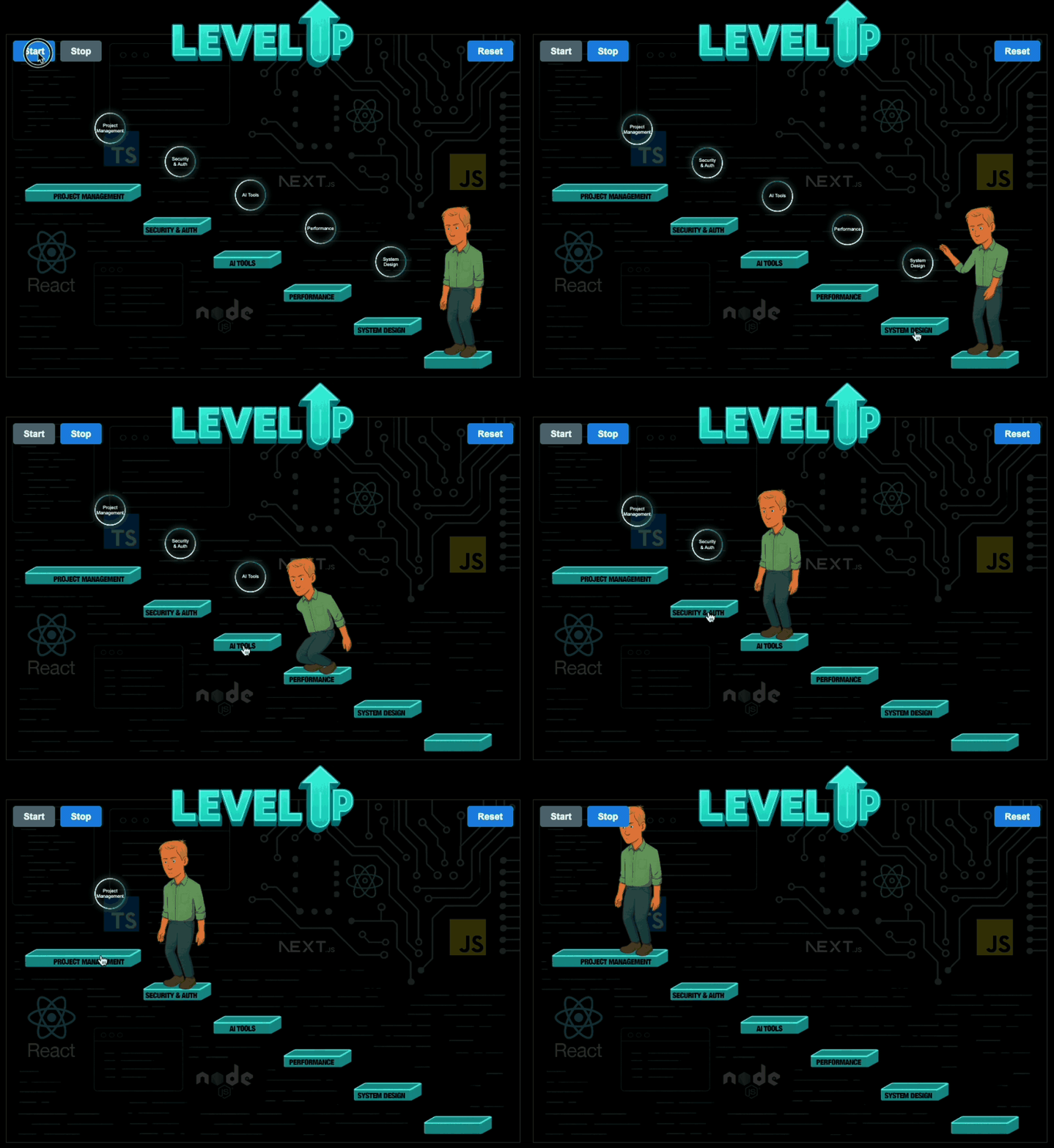
Click each platform, make the character jump, and collect all the orbs.
🧩 Behind the Scenes: Rigging, Sprites, and 328 Frames of Animation
This project turned out to be one of the most unexpectedly creative things I’ve coded in a while. It’s part front-end engineering, part digital art, part mini-game design!
To make the elliottprogrammer character feel alive, I didn’t want to just move a static image. I wanted realistic motion, such as blinking, breathing, and jumping. That meant stepping into the world of sprite animation (a technique more common in game dev than in React apps, that’s for sure!).
Here’s the short version of how that went down:
- Disassemble the character in Photoshop. Every arm, leg, and eyelid went on its own layer. It felt a little Frankenstein-y, but that’s how animation works.
- Rig the character in Adobe Character Animator. Rigging is basically giving your 2D artwork a skeleton so you can animate it naturally. I recorded two animations; one for standing idle (270 frames!) and one for jumping (58 frames).
- Export frame sequences and generate sprite sheets. Each animation was turned into hundreds of image frames, which I then stitched into large sprite sheets, along with JSON metadata describing where each frame lives.
- Write the sprite logic in JavaScript. I built a custom sprite animation system that cycles through the frames at 30 fps, handles scaling, and switches between “idle” and “jump” states. (If you’re curious, you can peek at the code here in my repo or scroll down to the demo.) If you visit the repo, do me a favor and give it a star! ⭐️🙏
🧠 The Engineering Challenge
The hardest part wasn’t the animation math, it was the artistic consistency. Every frame had to align perfectly so that when the elliottprogrammer character transitioned from jumping(landing) back to standing & breathing, he didn’t jitter or slide out of place.
I also had to juggle collision detection for the orbs, subtle hover and glow effects using Canvas 2D context, and scaling across different screen sizes, because I wanted smooth performance even on mobile.
By the end, I had a surprisingly robust little engine: complete with realistic sprite animations, creative artwork & assets, glowing gradients, and sound effects. Basically, all the fun parts of game programming wrapped into one joyful experiment.
💡 The Takeaway: Leveling Up Never Stops
This project started as a small visual gimmick. A cute way to bring my portfolio to life, but it became a perfect metaphor for the developer journey.
Leveling up isn’t about huge leaps; it’s about consistent motion:
- 🎯 Learning something new (even if it’s just how to rig a character for animation)
- 🧩 Improving your craft (Explore new technologies, just keep building new things!)
- 🤝 Sharing what you’ve learned (open-sourcing your code, writing blog posts like this)
And honestly? The best part of building this project wasn’t the finished product, it was the process of learning new creative tools and pushing outside the typical web-dev comfort zone.
So whether you’re refactoring a gnarly React component, experimenting with a new AI-powered workflow, or building a tiny game just because you can… you’re leveling up too!
🚀 Try It Out
You can play with the “Always Leveling Up” scene right now on my portfolio:
Or you can demo it and play around with the code on CodePen!
👉 https://codepen.io/melliatto/pen/myVGorL
And of course, view and/or fork the code on Github! (Please give me a star on the repo! ⭐️)
👉 https://github.com/elliottprogrammer/level-up-game
Click each platform, make the character jump, and collect all the orbs.
Each jump is a reminder: Keep building. Keep learning. Keep leveling up.
Thanks for reading!
Bryan Elliott (@elliottprogrammer)